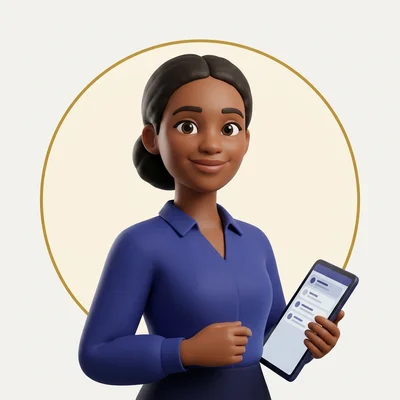
AI Email Assistant
An AI email assistant reads what lands in your inbox, sorts it by what it needs, and drafts the reply so you are deciding, not typing from scratch. That is what Penny does, inside your own inbox, every working day.

Penny is an AI assistant on the Consolida team, not a one-off script. She works your inbox daily, learns from the edits you make to her drafts, and nothing she writes goes out until you tap yes.

What Penny does each day
Penny is email management software built around one job: clearing your inbox without you reading every line yourself.
Reads new mail as it arrives and sorts it by what it needs from you.
Drafts a reply in your own voice, ready for your yes.
Triages the inbox every morning: urgent first, routine next, nothing buried.
For online shops, looks up a customer's order to answer "where is my order" without you opening the admin.
Sends you one morning summary of what is waiting for your yes, so you decide in minutes, not hours.
How it works
Connect Link your inbox, Gmail or Google Workspace, to start.
She drafts Penny reads incoming mail and drafts a reply for anything that needs one.
You decide You open your morning summary, read each draft, and tap yes, change it, or say no. Every edit you make feeds back in, so her next draft on a similar email is closer to what you would have written.
Example draft
Below is an example of the kind of draft Penny produces, not a live reply.
"Hi, has my order shipped yet? Order #4471."
Penny's draft:Example"Hi Sarah, thanks for checking in. Order #4471 shipped and is on its way, you should have tracking in your inbox already. Let me know if you haven't received it by Thursday and I'll chase it up. Thanks for your patience."
That draft waits in your morning summary for your yes before it sends.
Email triage, done before you open your inbox
Email triage means sorting incoming mail by what it needs: reply now, reply later, file, or ignore. Done by hand, it is the first task of most working days and the easiest one to let slip.
Penny triages your inbox overnight and on arrival, so what is waiting for you each morning is already sorted into what needs a decision and what does not. You still make every call. Penny does the sorting and the first draft, not the sending.
An AI email reply generator that sounds like you
Penny drafts replies from the message she is answering and learns from the edits you make, so a reply you correct today shapes the next draft rather than repeating the same miss.
She is not a canned-response tool. A canned reply answers the question it was written for; Penny reads the actual email in front of her and drafts to that, whether it is a delivery query, a complaint, or a new enquiry.
Social messages too, in development
Penny is growing from email into all your customer messages. In development: she will bring your social media messages, DMs and comments into the same place as your email, sort them, and draft replies in your tone for your yes. Social messages need a faster answer than email, so they will sit at the top of your summary. Join early access and you are first in line when it is ready.
Which platforms Penny works with
Penny works with Gmail and Google Workspace today, including a business address already hosted there. If you run Microsoft Outlook or another provider, we build and set up that connection for you around your setup, rather than a feature you wait on.
If you are looking for an AI email assistant for Outlook specifically, that connection is one we set up for you rather than a self-serve toggle, so get in touch and we will build it around your inbox.
- GmailToday
- Google WorkspaceToday
- Microsoft OutlookWe set it up
- Another providerWe set it up
An AI email assistant for businesses and agencies
Most "best AI email assistant" roundups compare tools that only draft text and leave you to manage everything else separately. Penny is built for an owner who cannot give email the first hour of every day. She sits inside your existing inbox: nothing moves to a new platform, and nothing sends without your yes.
Running several client businesses? On the agency plan each client business gets its own Penny, working its own inbox, with every business's data kept sealed to that business.

Common questions
What does it mean to triage an email?
It means sorting an incoming email by what it needs: an urgent reply, a routine reply, filing, or no action. Penny does this automatically and surfaces the result in your morning summary.
How do you triage email automatically?
An assistant reads each new message, classifies what it needs, and groups the results so the inbox owner reviews sorted items instead of a flat unread list. Penny does this continuously and drafts the reply for anything that needs one.
Does Penny work with Outlook?
Penny works with Gmail and Google Workspace now. For Microsoft Outlook or any other provider, we build and set up that connection for you around your setup.
Can Penny answer "where is my order" emails?
For online shops, yes: Penny looks up the order and drafts the answer, ready for your yes before it sends.
Will Penny handle my Instagram and Facebook messages?
That is in development. Penny will bring social DMs and comments into the same place as your email and draft replies for your yes. Early access businesses are first in line.
Does Penny send emails on her own?
Every reply she drafts waits for your yes. Nothing sends, posts or spends without it.
Is Penny sold on its own?
Penny is part of the Consolida team, working alongside the other assistants. See pricing for what each plan includes.
Related assistants
Penny works best alongside the rest of the team: Scout keeps your site found on Google and in AI answers and writes the blog articles that bring in searches, Ziggy plans and drafts your social posts, and Nate turns your numbers into plain-English reports.
 Ziggy
 Max
 Scout
 Nate
 Grace
 Leo
 Ava
 Ruby
Start with early access
Penny is one of nine assistants on the Consolida team; see pricing for what each plan includes. The first 50 businesses get early access: 2 months free, then 10 months at 20% off, locked for 12 months. Try the free AI visibility checker to see how your business shows up first.
Join early access